Last updated: May 2026 | By the QuickGuide AI Team
How to Use OurDream AI 2026: Quick-Start Checklist in 10 Minutes
Here's exactly how to get started on OurDream AI in under 30 minutes. This guide covers every step from account creation to advanced features, with the specific actions you need to take at each point.
Step 1 — Create Your Account (5 minutes)

Exactly what to do:
- Go to ourdream.ai in any browser
- Click "Sign Up"
- Choose: Email, Google, or Discord login
- If email: enter email + create password + verify via email link
- If Google/Discord: authorize the connection
- Your account is ready — 55 DreamCoins automatically credited
What you get at signup:
- 55 DreamCoins (in-app virtual currency, ~$0.66 value)
- 5 free AI image generations daily
- Rate-limited text messaging (free tier)
No credit card needed for the free account.
For mobile access, see OurDream AI app download.
Step 2 — Choose or Create a Character (10-30 minutes)
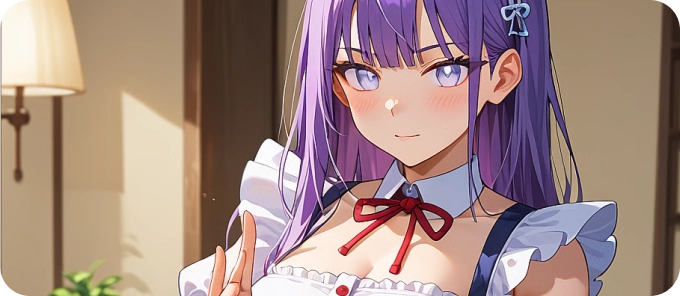
Option A — Use a pre-made character (fast):
- Browse the character gallery on the dashboard
- Filter by style (Realistic/Anime), personality, or search by name
- Click any character to start chatting immediately
- Popular options: Zoey, Mina Park, Serena, Violet, Jade, Luna
Option B — Create your own character (better results long-term):
Follow these steps in order:
Step 2a — Choose art style (permanent):
- Realistic: photorealistic Stable Diffusion images
- Anime: Japanese animation style
- Cannot change after creation — decide carefully
Step 2b — Set appearance:
- Use the sliders for face, hair, eyes, skin, body, outfit
- Spend 15 minutes here — affects every generated image
Step 2c — Set personality:
- Pick from 40+ personality presets
- Adjust trait sliders (dominant-submissive, serious-playful, etc.)
- Set lust level slider for explicit content intensity
- Choose occupation (100+ options) and hobbies (100+ options)
Step 2d — Write backstory (most important step):
- Write 200-500 words about your character's background, personality, and goals
- This improves response consistency by ~40% — don't skip it
Step 2e — Select voice:
- Preview from 19 profiles
- Can be changed later — less critical to get perfect now
Full guide: character creation.
Step 3 — Start Chatting

Exactly what to do:
- Open your character's conversation
- Type naturally — the AI responds to your messages
- The character remembers your last 100 messages (30 days of context)
- Characters may message you first after initial sessions (proactive messaging)
Key features to know:
- Group chat: Add multiple AI personas to one conversation
- Lorebooks: Create keyword-triggered reference docs for roleplay consistency
- Personality adjustment: Change sliders at any time to shift character tone
Free vs Premium: Free accounts have rate-limited messaging. Premium removes all chat limits.
Step 4 — Generate Images and Videos
Exactly what to do for images:
- In chat, describe what you want: "Generate an image of [character] in [setting]"
- OR navigate to the image creator in the character's profile
- Cost: 10 DreamCoins per image (~$0.12)
- Your 5 free daily images: these cost 0 coins — use them first
Exactly what to do for videos:
- Go to the video generation section in your character's profile
- Choose clip length (5-30 seconds)
- Cost: 100-300 DreamCoins ($1.20-$3.60)
- Render time: ~30-60 seconds
Pro tip: Always use your 5 free daily image generations before spending any DreamCoins.
For free coin methods, see free DreamCoins guide.
Step 5 — Try Voice Calls
Exactly what to do:
- Open your character's conversation
- Find the voice/phone icon in the chat interface
- Select "Voice Message" (5 coins = $0.06) or "Live Call" (50 coins/min = $0.60/min)
- For live calls: speak naturally, the AI responds in real-time
- End the call to stop the coin charge
19 voice profiles: Different accents, tones, and styles. Your character's voice was set at creation but can be changed in character settings.
Pro Tips
Improve AI response quality:
- Write a detailed backstory (200-500 words) — single biggest quality improvement
- Use specific image prompts ("character in blue dress at sunset") instead of vague ones
- Set personality sliders carefully — they directly affect response tone
Save money:
- Use 5 free image generations daily (saves ~1,500 coins/month)
- Annual plan ($9.99/mo) vs monthly ($19.99) saves $120/year
- Promo code AIMOJO at checkout for 10% off
See full pricing: OurDream AI pricing.
Frequently Asked Questions
No — the free tier gives 55 DreamCoins, 5 free daily images, and limited messaging. Full features (NSFW, unlimited messaging, video) need Premium: $9.99/month annually or $19.99/month.
Step-by-step: 1) Write 200-500 word backstory, 2) Adjust personality sliders carefully, 3) Use specific prompts, 4) Build conversation history over multiple sessions — the 100-message memory means quality improves over time.
Yes. Full features: ourdream.ai in any mobile browser. Google Play app: SFW only. App Store app (id6755042859): SFW only, iOS 15.0+. Full NSFW on Android: official APK from ourdream.ai only.
Type a description in the chat input or use the image creator. 10 DreamCoins each (~$0.12). Use your 5 free daily generations first — they reset at midnight UTC.
Reference documents you create that activate when a trigger word appears in conversation. The character automatically accesses and applies the lore. Use for: consistent roleplay worlds, character relationship history, specific scenario details.
Footer: About | Terms | Privacy Policy | Responsible Use